

Pro
Pricing in the ntop shop
- Ensured Internet availability
- Layer-7 applications traffic throttling
- Inline unsafe traffic blocking
- Captive Portal
- Bridge Mode
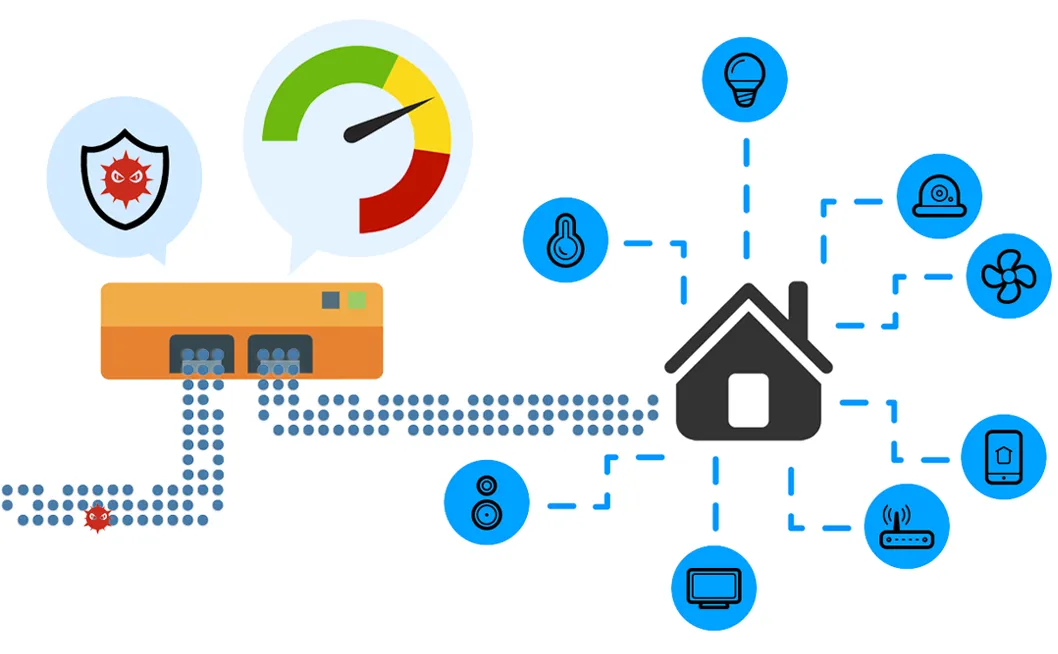
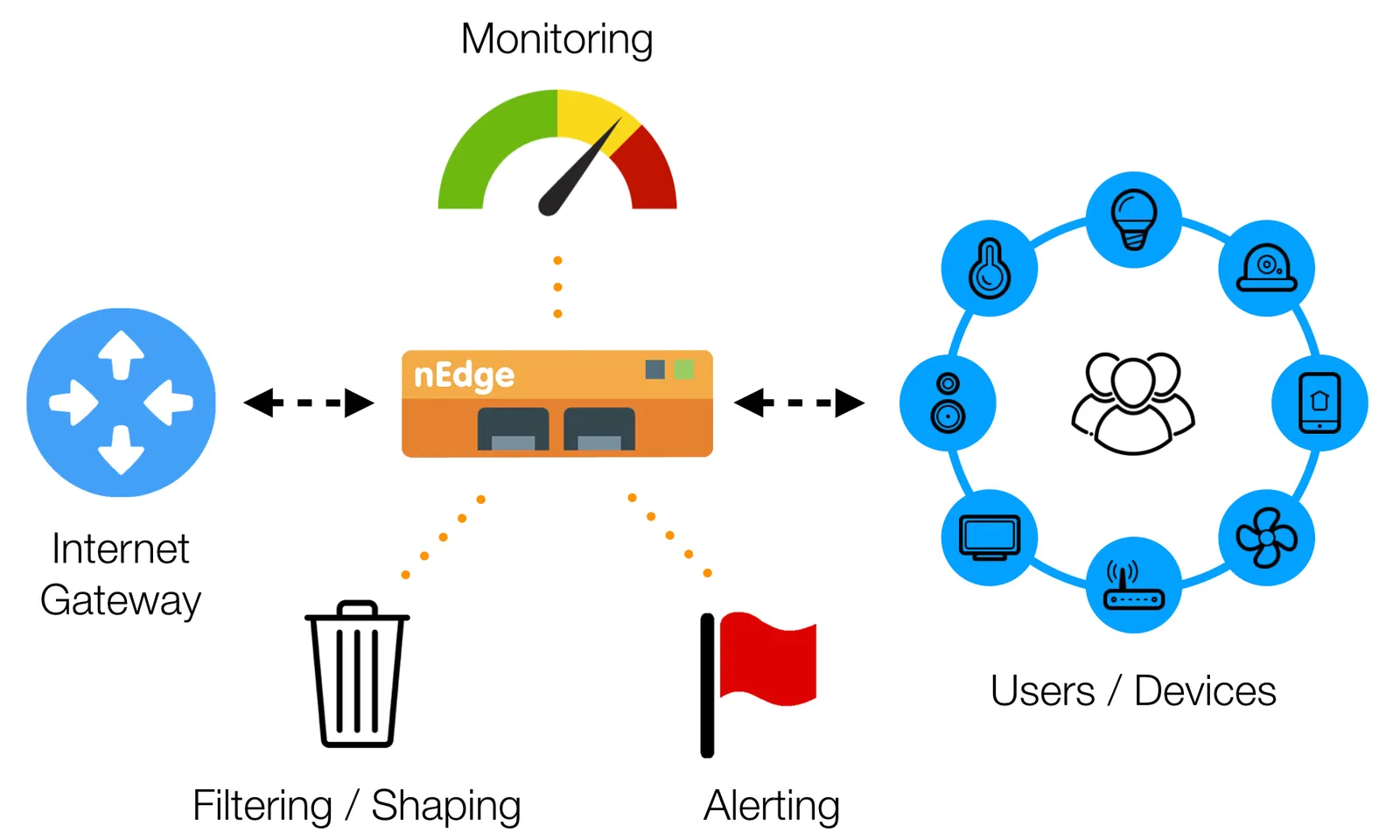
nEdge (ntopng Edge) is a gateway for the edge of a LAN: it identifies applications with nDPI and applies per-user Layer-7 policies, bandwidth control, multi-WAN routing and captive portal. Choose it when a single Internet chokepoint must be shared fairly and controlled.
Small and Medium Enterprises (SMEs) often struggle to control bandwidth utilization at Layer-7. Internal company rules may impose limits on the websites visited as well as on the Layer-7 application protocols used in the network. For example, cloud storage may not be allowed to prevent employees moving too much data from/to the cloud. Similarly, access to recreational sites such as FaceBook and YouTube may be limited or not allowed during normal office hours.
nEdge can enforce such kinds of rules without requiring changes in the network topology that can be expensive and create conflicts with pre-existing equipments and configurations. nEdge can also generate alerts when a new device connects to the network.
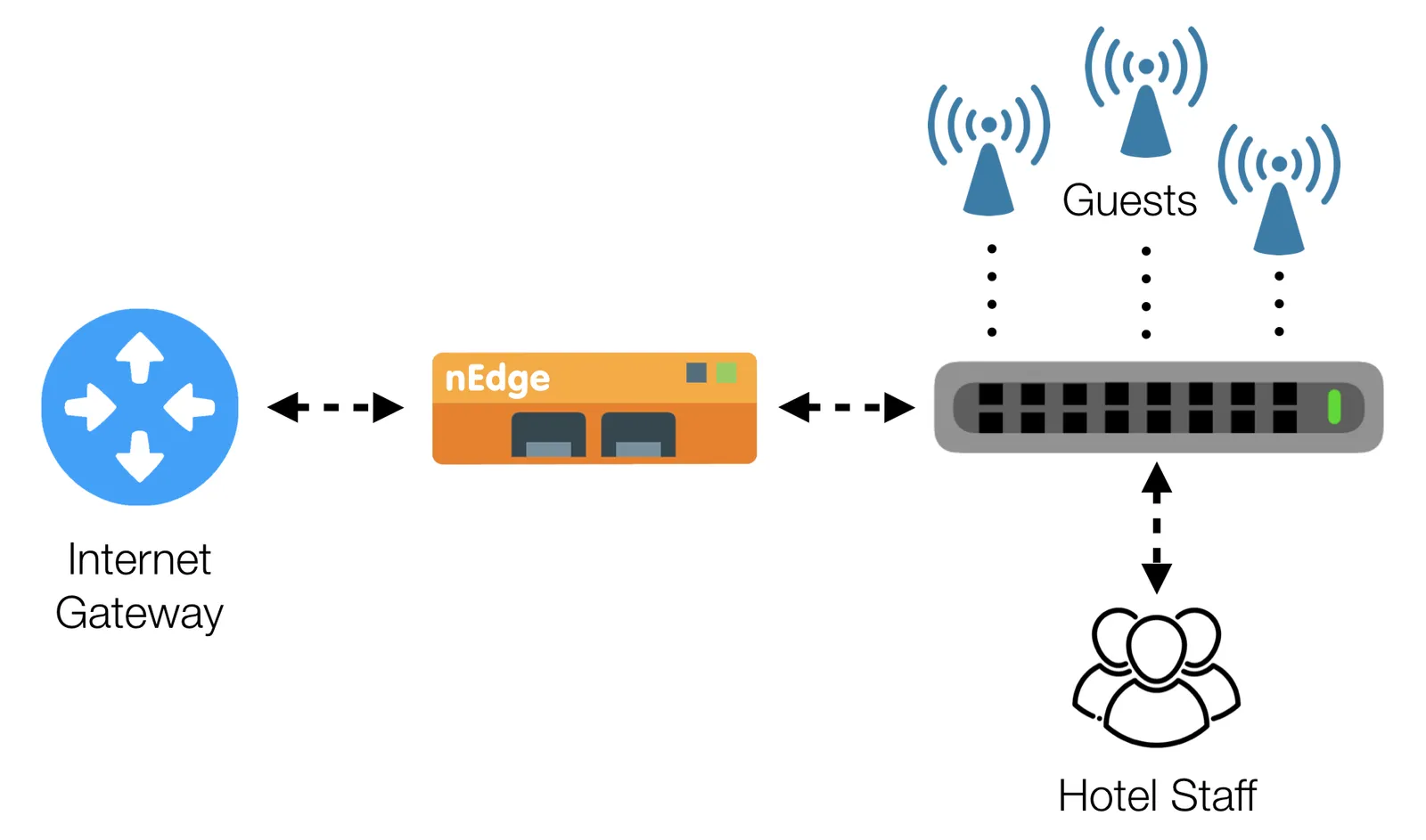
Hotels, bars and restaurants, malls, and more in general public places, almost always provide complimentary or paid internet access. Hotels offer Internet access to their guests. Similarly, bars and restaurants provide Internet access to their customers. However, it is common for those providers to have a single Internet gateway, which is usually the same as the one being used by the hotel staff. Under these circumstances, a misbehaving client, or just a large number of connected devices, can easily jeopardize the Internet access and undermine normal business operations. Today, critical operations such as Point-Of-Sale (POS) payments, reservations, and accounting must be performed online and a broken Internet access almost immediately translate into a loss of money.
nEdge helps in protecting business-critical operations by automatically identifying normal guests and staff people and devices, and prioritizing their traffic according to different policies. So for example on can guarantee a minimum bandwidth to the staff, and allow guests to run at full bandwidth only when when the staff is idle. Moreover, guests’ bandwidth can be evenly divided among all the active guests, so that a single user won’t be able to jeopardize the Internet access. For further control, some bandwidth-consuming protocols like BitTorrent can also be disabled or throttled down to a very small portion of the total available bandwidth.
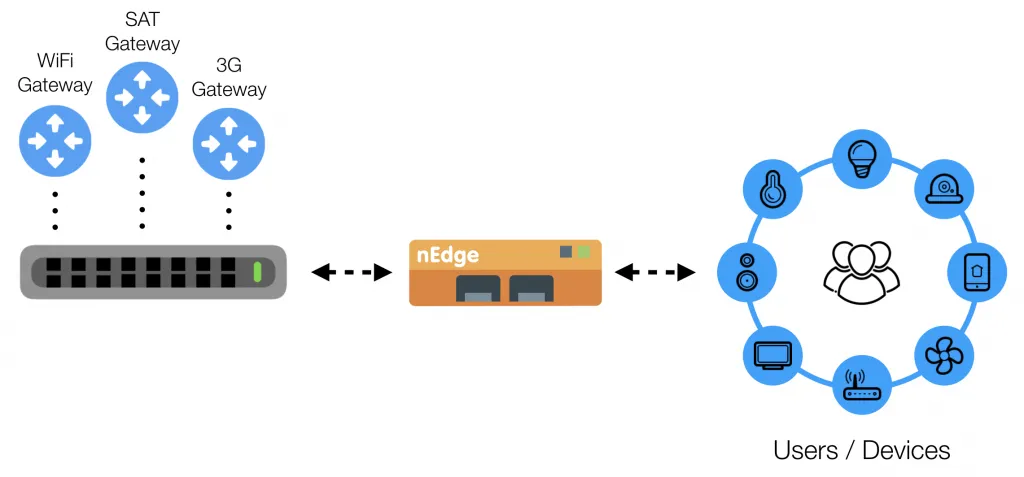
nEdge includes advanced functionalities specifically designed for private Internet access providers, characterized by the presence of a number of Internet gateways with different speeds and costs (e.g. WiFi, 3G, SAT). In these environments there are often different users plans, for example:
Users should always use the less expensive gateway available, based on their plan. If such a gateway becomes unavailable, users should use an alternative gateway, according to gateways priority and users plans, and switch back to the less expensive gateway when available.
nEdge can manage manage scenarios such as those described above. It is just a matter of configuring multiple gateways with priority and routing policies based on the users plans. nEdge also takes care of failover and load balancing, monitoring the gateways status and switching to higher priority gateways (less expensive or more performant) when available.
Same criteria for each option: role, when to choose it, limits and cost.
Try nEdge on your own traffic.
Did you already install the software?
InstallSelect the model. Different models unlock different features and capacity. Check the comparison table.
Small and Medium Enterprises (SMEs) often struggle to control bandwidth utilization at Layer-7. Internal company rules may impose limits on the websites visited as well as on the Layer-7 application protocols used in the network. For example, cloud storage may not be allowed to prevent employees moving too much data from/to the cloud. Similarly, access to recreational sites such as FaceBook and YouTube may be limited or not allowed during normal office hours.
nEdge can enforce such kinds of rules without requiring changes in the network topology that can be expensive and create conflicts with pre-existing equipments and configurations. nEdge can also generate alerts when a new device connects to the network.
Hotels, bars and restaurants, malls, and more in general public places, almost always provide complimentary or paid internet access. Hotels offer Internet access to their guests. Similarly, bars and restaurants provide Internet access to their customers. However, it is common for those providers to have a single Internet gateway, which is usually the same as the one being used by the hotel staff. Under these circumstances, a misbehaving client, or just a large number of connected devices, can easily jeopardize the Internet access and undermine normal business operations. Today, critical operations such as Point-Of-Sale (POS) payments, reservations, and accounting must be performed online and a broken Internet access almost immediately translate into a loss of money.
nEdge helps in protecting business-critical operations by automatically identifying normal guests and staff people and devices, and prioritizing their traffic according to different policies. So for example on can guarantee a minimum bandwidth to the staff, and allow guests to run at full bandwidth only when when the staff is idle. Moreover, guests’ bandwidth can be evenly divided among all the active guests, so that a single user won’t be able to jeopardize the Internet access. For further control, some bandwidth-consuming protocols like BitTorrent can also be disabled or throttled down to a very small portion of the total available bandwidth.
nEdge includes advanced functionalities specifically designed for private Internet access providers, characterized by the presence of a number of Internet gateways with different speeds and costs (e.g. WiFi, 3G, SAT). In these environments there are often different users plans, for example:
Users should always use the less expensive gateway available, based on their plan. If such a gateway becomes unavailable, users should use an alternative gateway, according to gateways priority and users plans, and switch back to the less expensive gateway when available.
nEdge can manage manage scenarios such as those described above. It is just a matter of configuring multiple gateways with priority and routing policies based on the users plans. nEdge also takes care of failover and load balancing, monitoring the gateways status and switching to higher priority gateways (less expensive or more performant) when available.
Download the free Community edition, compare editions and buy in the shop, or talk to the ntop team about your requirements.